Change or cancel your plan
Manage billing opens your plan, card and invoices. Switch or cancel there, and the plan runs to the end of the period you've paid for.
Open your billing
- Open Billing from your menu.
- Choose Manage billing at the top right.
Only owners and admins see the button. Anyone else sees Only owners and admins can change billing.
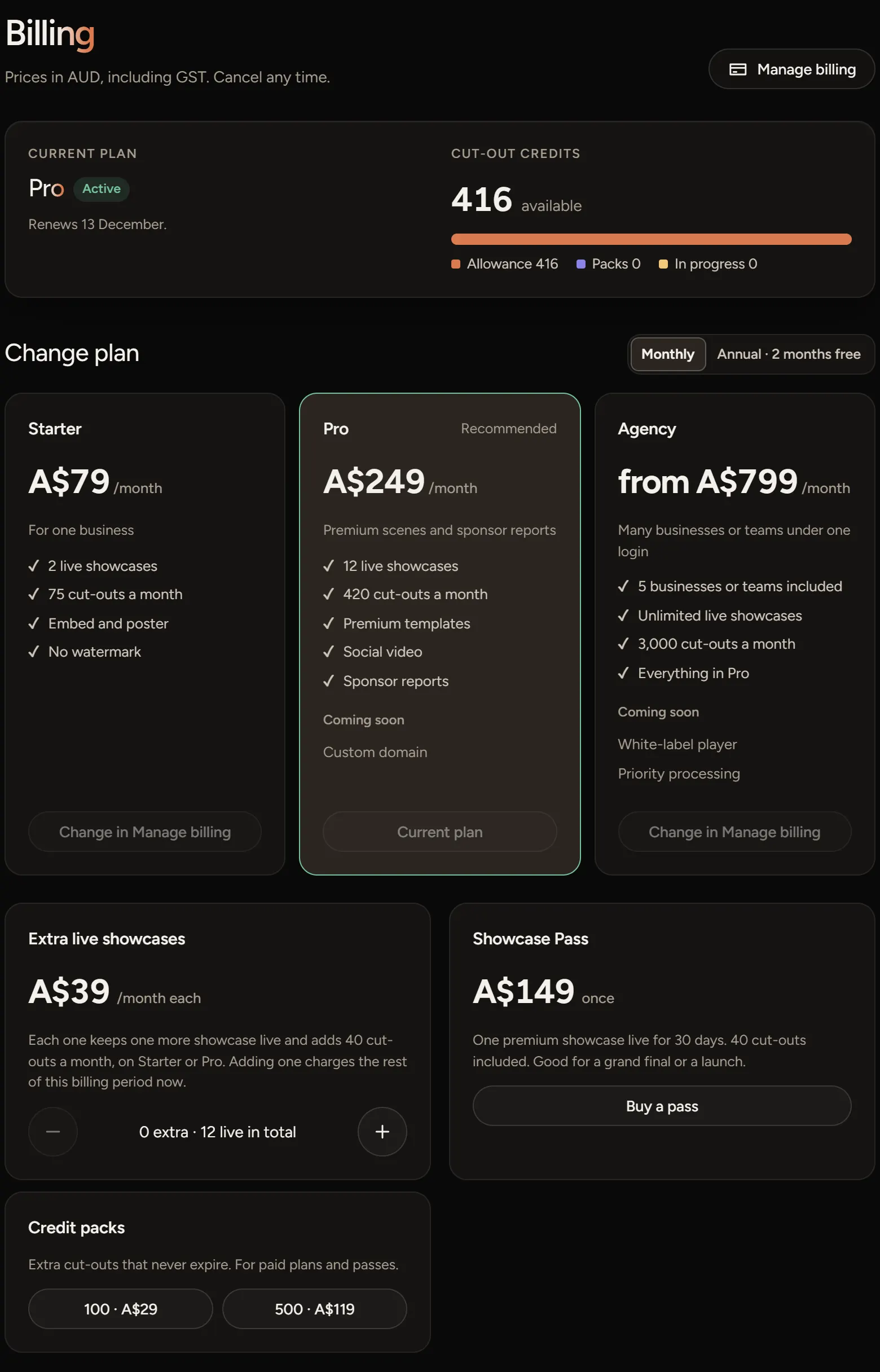
Change plan
In Manage billing, pick Starter or Pro and confirm. The change is live straight away, and the adjusted invoice is emailed to you. Moving up charges the difference for the rest of the period.
To move to or from Agency, use the form at the bottom of this page.
Cancel
In Manage billing, choose to cancel. Your plan keeps working until the end of the period you've paid for, and we email you the date.
After that, your showcases go read-only. Nothing is deleted, and choosing a plan again brings them back. Changed your mind before the date? Resume the plan in Manage billing.
Invoices and your card
Manage billing lists your invoices to download and lets you update your card. A receipt is emailed after each payment too.
If something goes wrong
- The plan buttons say Change in Manage billing: you already have a plan. Change it there.
- Checkout was cancelled. Nothing was charged: you left the payment page. Choose the plan again when you're ready.
- Still confirming your payment: it can take a minute to show. Open Billing again shortly.