Share your scene and make a QR code
Copy the scene's link, or download its QR code as a PNG for screens or an SVG for print.
Share the link
- In the editor, choose Publish to open Your scene is live.
- Under Your link, choose Copy link, or Open to see it first.
- Paste it into a post, a newsletter or your team chat.
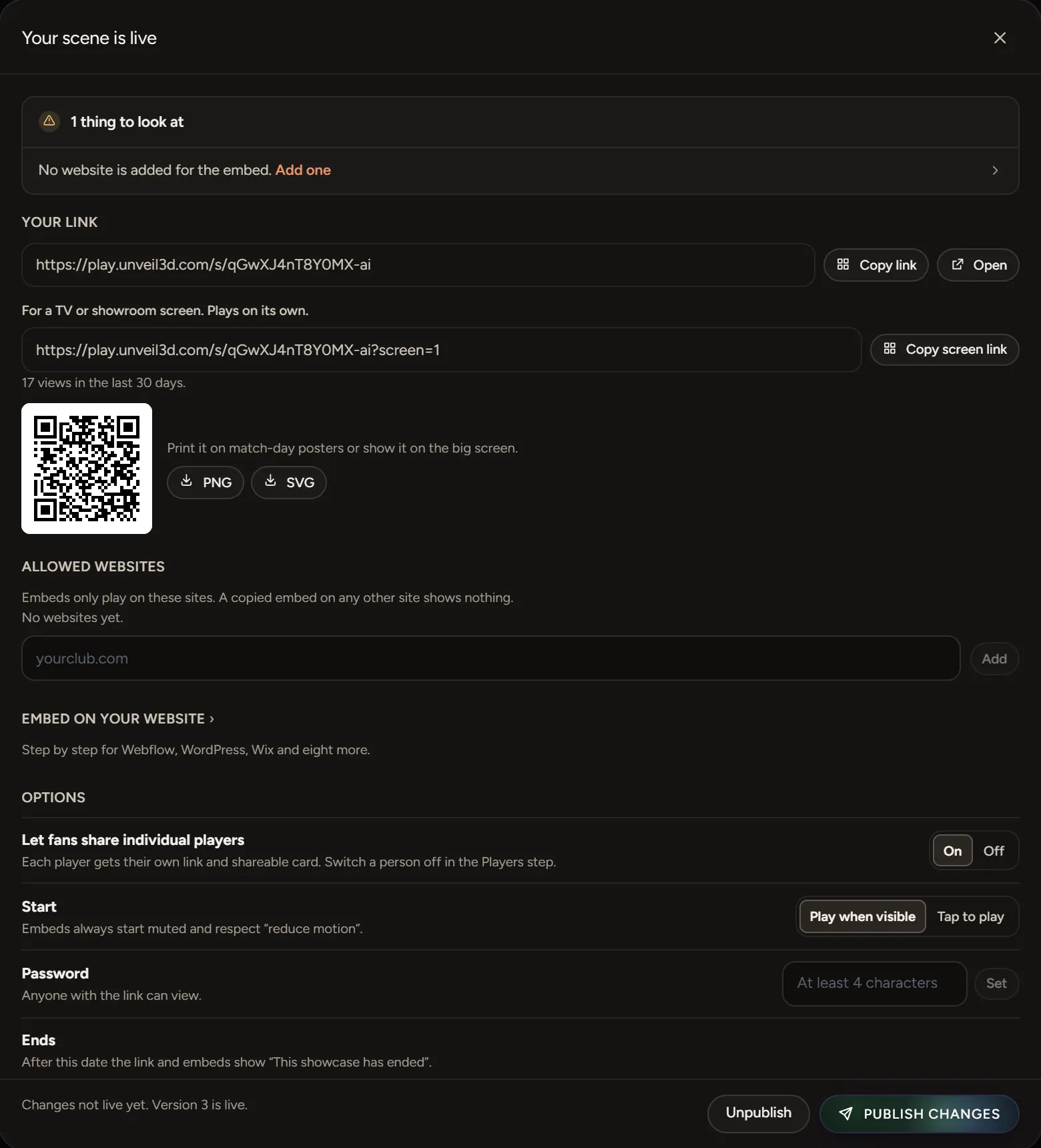
The panel shows how many views the scene had in the last 30 days.
Share one player
Turn on Let fans share individual players. Each player gets their own link and a card families can share.
Make a QR code
Choose PNG for screens and social posts, or SVG for printing at any size. Anyone who scans it opens the scene on their phone.
Posters and stills
A4 and A3 posters, and stills from the scene, come with a paid plan.